


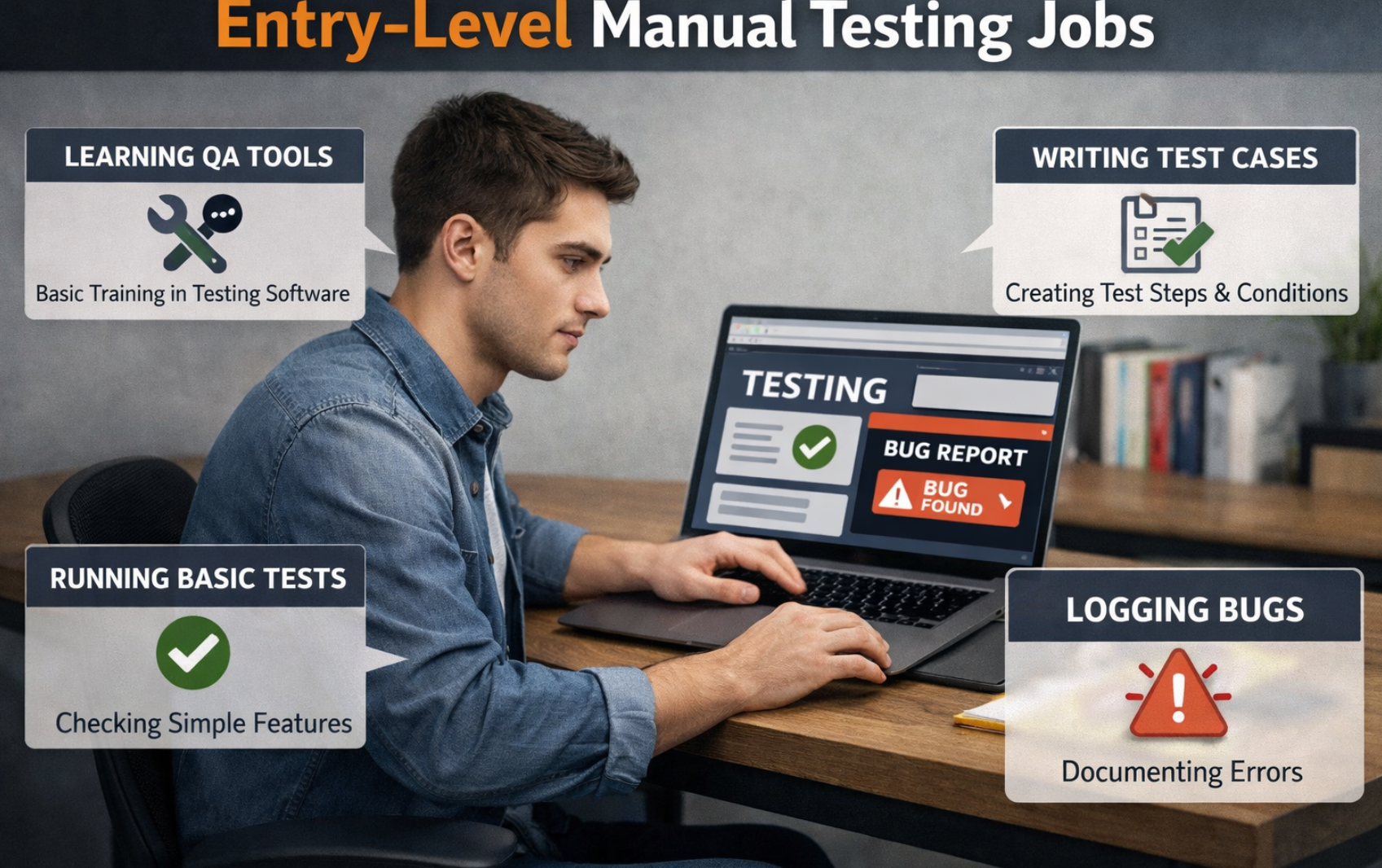
Manual testing is still one of the most important skills in software quality, even in teams that use automation heavily. Interviewers ask manual testing questions not just to check definitions, but to understand how clearly you think, how you handle real project challenges, and how well you communicate potential risks before the release of the code. In this blog, you will find the top 50 entry level manual testing interview questions and answers with simple, practical approach that is easy to understand and useful for both freshers and experienced testers.
1. What is software testing, and why is it important?
Software testing is the activity of checking whether an application behaves as expected under different conditions. It helps find defects before release, reduces production failures, and protects business reputation. Good testing improves user trust, reduces support cost, and helps teams ship the code confidently.
2. What is the difference between QA and QC?
QA (Quality Assurance) focuses on improving the development and testing process so defects are prevented early. QC (Quality Control) focuses on checking the actual software product and detecting defects. In short, QA is process-oriented and preventive, while QC is product-oriented and detective.
QA and QC are connected, but not the same. QA prevents defects by improving process, while QC finds defects by checking the product.
QA (Quality Assurance)
Process-oriented and preventive.
Focus is on building the right process so defects are reduced from the beginning.
QC (Quality Control)
Product-oriented and detective.
Focus is on checking the developed product and identifying defects before release.
QA vs QC Comparison
| Point | QA | QC |
|---|---|---|
| Focus | Process quality | Product quality |
| Approach | Prevent defects | Detect defects |
| Nature | Proactive | Reactive |
| Typical Activities | Process definition, standards, audits, reviews, training | Test execution, defect reporting, validation, re-testing |
| When Applied | Throughout SDLC from early stages | Mostly during/after product development |
Simple Example
QA Example: Team creates coding standards, review checklists, and clear requirement templates to avoid defects early.
QC Example: Tester runs test cases on a login feature and reports defects like invalid error message or failed authentication.
Interview Tip
Best answer line: “QA builds quality into the process, QC checks quality in the product.”
Quick Take
QA and QC work together. If QA is strong, QC finds fewer critical defects and releases become smoother.
3. What is the difference between verification and validation?
Verification checks whether work products (requirements, design, code) are built correctly according to standards and specifications. Validation checks whether the final product meets user needs and business goals. A simple way: verification is “Are we building it right?” and validation is “Are we building the right thing?”
4. What are SDLC and STLC?
SDLC is the full lifecycle of software creation (Software development life cycle): planning, analysis, design, development, testing, deployment, and maintenance. STLC is the software testing lifecycle inside SDLC and includes requirement analysis, planning, case design, execution, and closure. STLC ensures quality checks happen in a structured way.
SDLC is the full software development journey, while STLC is the testing lifecycle that ensures quality at each relevant stage.
SDLC (Software Development Life Cycle)
End-to-end process of building software: planning, analysis, design, development, testing, deployment, and maintenance.
STLC (Software Testing Life Cycle)
Structured testing process inside SDLC: requirement analysis, test planning, test design, execution, and closure.
SDLC vs STLC Comparison
| Point | SDLC | STLC |
|---|---|---|
| Purpose | Build the software product | Validate software quality |
| Scope | Broader (all engineering phases) | Focused on testing activities |
| Owner Teams | BA, Dev, QA, DevOps, Product | QA/Test team (with stakeholder inputs) |
| Deliverables | Requirements, design docs, code, release builds | Test plan, test cases, defect reports, closure report |
| Relationship | Parent lifecycle | Subset of SDLC |
Typical SDLC Phases
- Requirement Gathering
- Analysis
- Design
- Development
- Testing
- Deployment
- Maintenance
Typical STLC Phases
- Requirement Analysis
- Test Planning
- Test Case Design
- Test Environment Setup
- Test Execution
- Test Closure
Interview Tip
Strong one-line answer: “SDLC builds the product, STLC validates the product.”
Quick Take
SDLC and STLC are not competing terms. STLC is a quality-focused part of SDLC, and both must work together for successful release.
5. What are the phases of STLC?
The common phases are: requirement analysis, test planning, test case design, test environment setup, test execution, and test closure. Each phase has deliverables like test plan, test cases, defect reports, and closure report. Following these phases helps testing stay organized and measurable.
6. What is a test case?
A test case is a documented set of preconditions, steps, test data, and expected results for verifying one behavior. It helps different testers execute tests consistently. Well-written test cases are clear, reusable, and traceable to requirements.
7. What is a test scenario?
A test scenario is a high-level statement of what functionality should be tested, such as “verify user login flow.” It does not contain detailed steps like a test case. Scenarios help ensure broad functional coverage before writing detailed cases.
8. What is the difference between test case and test scenario?
A test scenario is broad and describes what to test. A test case is detailed and describes how to test, including data and expected output. One scenario can have many test cases.
Test Scenario
High-level idea of what to test. It describes a feature flow broadly without detailed steps.
Test Case
Detailed execution unit of how to test, including steps, test data, and expected result.
Use Case
Business/user workflow showing user goal and interactions with the system end-to-end.
Quick Comparison Table
| Point | Test Scenario | Test Case | Use Case |
|---|---|---|---|
| Purpose | Coverage planning | Actual verification execution | Business/user behavior modeling |
| Detail Level | Low | High | Medium |
| Contains Steps? | Usually no | Yes (step-by-step) | Flow steps (actor-system interaction) |
| Owner | QA/Tester | QA/Tester | BA/Product/QA |
| Example | Verify login flow | Login with valid email/password and verify dashboard | User signs in to access account services |
One Practical Example (Login Feature)
Use Case: Registered user logs in to access account.
Test Scenario: Validate login functionality for different conditions.
Test Cases: Valid login, invalid password, empty fields, locked user, SQL injection input, etc.
How They Connect
- Use case defines business flow.
- Test scenarios identify what areas to test from that flow.
- Test cases provide detailed checks to execute those scenarios.
Quick Take
Use case = business journey, scenario = test idea, and test case = execution detail.
Together they give complete and practical test coverage.
9. What is a test plan, and what does it include?
A test plan is a formal document that defines testing scope, approach, schedule, resources, risks, and deliverables. It usually includes test types, environments, responsibilities, entry/exit criteria, and reporting format. It acts as the roadmap for the QA team.
Why a Test Plan is Important
- Sets clear testing scope and priorities.
- Aligns QA, Dev, Product, and stakeholders.
- Prevents confusion on timelines and ownership.
- Defines measurable entry/exit conditions.
- Helps identify and manage release risks early.
1) Scope
What will be tested and what will not be tested in this release.
2) Test Strategy
Testing types, levels, techniques, and tools to be used.
3) Resources
Roles/responsibilities of QA members and required environments.
4) Schedule
Planned dates for design, execution, retest, and closure.
Typical Test Plan Template
| Section | What to Include |
|---|---|
| Objective | Quality goal of testing for this release |
| Scope (In/Out) | Modules/features included and excluded |
| Test Types | Smoke, sanity, functional, regression, API, etc. |
| Entry/Exit Criteria | Conditions to start/end testing |
| Defect Process | Bug workflow, severity/priority, triage process |
| Risks & Mitigation | Known blockers and backup actions |
| Deliverables | Test cases, reports, RTM, closure summary |
Common Mistakes to Avoid
- Very generic scope without clear boundaries.
- No risk analysis or unrealistic timeline.
- Entry/exit criteria not measurable.
- No clear ownership for test activities.
- Plan not updated when requirements change.
Interview-Friendly Definition
“A test plan is a structured QA document that defines what to test, how to test, who will test, when to test, and when testing can be considered complete.”
Quick Take
A strong test plan improves coordination, reduces release risk, and gives stakeholders clear visibility into QA progress and confidence level.
10. What is a test strategy?
Test strategy is a high-level document that defines the overall testing philosophy for a project or organization. It covers test levels, tools, standards, defect handling, and quality goals. Unlike a test plan, strategy is broader and less release-specific.
11. What is a requirement traceability matrix (RTM)?
RTM maps each requirement to corresponding test cases (and often defects). It ensures no requirement is left untested and helps measure coverage. It is also useful during audits and for impact analysis when requirements change.
12. What are entry and exit criteria in testing?
Entry criteria are conditions that must be met before starting a testing phase (e.g., stable build, approved requirements). Exit criteria are conditions required to close testing (e.g., critical defects resolved, target pass rate achieved). They make testing decisions objective instead of opinion-based.
13. What is a defect (bug)?
A defect is a mismatch between expected behavior and actual behavior. It may come from coding errors, requirement gaps, environment issues, or integration problems. Defects are logged, tracked, prioritized, fixed, and retested.
14. What is the defect life cycle?
A typical lifecycle is: New → Assigned → Open/In Progress → Fixed → Retest → Closed. If issue persists, it becomes Reopened and goes back to development. Teams may also use statuses like Deferred, Duplicate, Rejected, or Cannot Reproduce.
Defect life cycle is the journey of a bug from reporting to closure.
Correct status usage improves clarity, ownership, and release decisions.
Typical Defect Flow
Assigned
Open / In Progress
Fixed / Resolved
Retest
Closed
All Common Defect Statuses (with Meaning)
| Status | Meaning | Who Usually Uses It |
|---|---|---|
| New | Bug is reported for the first time. | QA |
| Assigned | Bug is assigned to developer/team. | Lead/Manager |
| Open / In Progress | Developer is analyzing/fixing issue. | Dev |
| Fixed | Code fix is completed and moved for testing. | Dev |
| Resolved | Issue addressed (sometimes same as Fixed). | Dev |
| Retest / Ready for QA | QA must verify in new build. | Dev/QA |
| Closed | QA validated fix successfully and closed issue. | QA |
| Reopened | Issue still exists after fix/retest. | QA |
| Duplicate | Same defect already reported in another ticket. | QA/Lead |
| Rejected / Not a Bug | Behavior is expected as per requirement/design. | Dev/PO/Lead |
| Cannot Reproduce | Dev could not reproduce with given data/steps. | Dev |
| Need More Info | More logs/data/steps required to proceed. | Dev |
| Deferred / Postponed | Fix moved to future release due to priority/time. | PO/Lead |
| Won’t Fix | Known issue accepted for business/technical reasons. | PO/Lead/Architect |
| Blocked | Cannot proceed because of dependency/environment blocker. | Dev/QA |
Practical Defect Transition Example
New → Assigned → In Progress → Fixed → Retest → Closed
If QA still finds issue: Reopened → Assigned → In Progress → Fixed → Retest → Closed
Best Practices
- Keep status transitions consistent across projects.
- Always add meaningful comments while changing status.
- Attach evidence (logs/screenshots/video) to avoid “Cannot Reproduce”.
- Use “Deferred/Won’t Fix” only with stakeholder agreement.
- Track reopened defects as quality signal for root-cause analysis.
Quick Summary
Defect life cycle is not just workflow tracking — it is a quality communication system.
Clear statuses help teams fix faster, reduce confusion, and make better release decisions.
15. What details should be included in a bug report?
A good bug report includes title, environment, build number, module, reproducible steps, expected result, actual result, attachments (screenshots/logs), severity, and priority. Clear bug reports save developer time and speed up fixes. Ambiguous bug reports cause delays and back-and-forth.
A bug report is a structured document/ticket used to describe a defect clearly so developers can reproduce, fix, and verify it quickly.
Why a Good Bug Report Matters
- Reduces back-and-forth clarification time.
- Helps faster defect fixing and retesting.
- Improves triage quality and release decisions.
- Creates clear audit/history of product issues.
Mandatory Fields in a Bug Report
| Field | What to Write |
|---|---|
| Bug ID | Auto-generated unique identifier |
| Title / Summary | Short, clear issue statement |
| Module / Feature | Where defect occurs (Login, Checkout, API, etc.) |
| Environment | Build, browser/device, OS, test env (QA/UAT) |
| Preconditions | Required setup before executing steps |
| Steps to Reproduce | Exact numbered steps to recreate issue |
| Expected Result | What should happen as per requirement |
| Actual Result | What actually happened |
| Severity / Priority | Technical impact + business urgency |
| Attachments | Screenshot, video, logs, API payload/response |
Sample Bug Report Title Format
[Module] + [Action] + [Issue]
Example: [Login] User cannot sign in with valid credentials on Chrome v124
Mini Bug Report Example
Title: [Checkout] Payment fails for valid UPI ID

Environment: QA Build 2.4.8, Android 14, Chrome 124
Precondition: User logged in, cart has 1 item
Steps:
1) Go to Cart and click Checkout
2) Select UPI
3) Enter valid UPI ID
4) Click Pay

Expected: Payment should complete and order should be created
Actual: Error popup "Transaction failed" shown, no order created
Severity: High
Priority: P1
Attachment: Video + network logs
Common Mistakes to Avoid
- Vague title like “Not working”
- Missing reproducible steps
- No expected vs actual comparison
- Wrong severity/priority assignment
- No evidence (screenshot/log/video)
Quick Take
A high-quality bug report is clear, reproducible, and evidence-based.
Better reports mean faster fixes and smoother releases.
16. What is severity vs priority in defect management?
Severity is how badly a defect affects system behavior (technical impact). Priority is how soon it should be fixed (business urgency). A minor UI issue can be high priority for a release demo, while a severe defect in a rarely used feature can be deferred.
17. What is the difference between smoke testing and sanity testing?
Smoke testing is a quick broad check of key features after a new build to confirm it is testable. Sanity testing is a focused check of a specific area after a bug fix or small change. Smoke is wide and shallow; sanity is narrow and deep.
Smoke Testing
A broad and shallow check of major features after a new build.
Goal: confirm the build is stable enough for detailed testing.
Sanity Testing
A narrow and focused check after a bug fix or small change.
Goal: confirm specific functionality works as expected.
Quick Comparison
| Point | Smoke Testing | Sanity Testing |
|---|---|---|
| Purpose | Check overall build stability | Check specific area after change/fix |
| Coverage | Wide coverage, less depth | Narrow coverage, more depth |
| When Used | On every major/new build | After minor release/hotfix/patch |
| Execution Time | Very short | Short |
| Example | Login, dashboard, checkout basic check | Verify only fixed payment retry flow |
Simple Real-World Flow
- New build comes from Dev team.
- QA runs Smoke Testing to see if build is testable.
- If smoke passes, detailed testing starts.
- Developer fixes a checkout bug.
- QA runs Sanity Testing around checkout to validate the fix.
Interview-Ready One-Liner
Smoke testing = “Is the build stable?”
Sanity testing = “Is the specific change working?”
Quick Take
Smoke testing saves time by rejecting unstable builds early.
Sanity testing saves effort by validating targeted fixes quickly and confidently.
18. What is regression testing and why is it important?
Regression testing verifies that new changes did not break existing working features. It is critical because modern releases often affect shared components. Without regression, teams risk introducing hidden failures or bugs into production.
19. What is retesting?
Retesting means running the same failed test again after a defect is fixed to confirm the fix works. It is defect-specific and different from regression. Retesting validates the exact issue; regression checks surrounding impact.
20. What is exploratory testing?
Exploratory testing is unscripted testing where learning, test design, and execution happen together. It relies on tester domain knowledge and critical thinking. It is very effective for finding edge-case issues and usability problems missed by scripted tests.
21. What is ad-hoc testing?
Ad-hoc testing is informal testing without documented cases or planning. Testers quickly try different paths to expose obvious problems. It is useful for quick checks but should not replace systematic testing.
22. What is negative testing?
Negative testing checks how the system handles invalid inputs, unexpected actions, and error conditions. The goal is to ensure proper validation and graceful failure. It improves security, stability, and user guidance.
23. What is positive testing?
Positive testing validates that the system works correctly with valid data and expected user behavior. It confirms normal business flow success. Both positive and negative tests are needed for balanced coverage.
24. What is black-box testing?
Black-box testing validates functionality without looking at internal code. The tester focuses on inputs, outputs, and requirements. It is commonly used in manual functional testing.
25. What is white-box testing (at a high level)?
White-box testing checks internal code structure, branches, paths, and logic. It is often done by developers or automation engineers. It helps detect logic flaws not visible from UI-level tests.
26. What is gray-box testing?
Gray-box testing combines black-box perspective with partial internal knowledge (like APIs, DB schema, architecture). This helps design stronger tests for integration and data flow issues. It is practical in modern agile teams.
27. What is boundary value analysis?
Boundary value analysis tests limits around valid ranges because defects often occur at edges. For range 1–100, tests include 0, 1, 2, 99, 100, 101. This method gives high defect detection with fewer test cases.
28. What is equivalence partitioning?
Equivalence partitioning divides data into valid and invalid groups expected to behave similarly. One representative value from each group is tested instead of testing every value. It reduces test effort while preserving coverage quality.
29. What is decision table testing?
Decision table testing is used when outcomes depend on combinations of rules/conditions. A table is created with condition combinations and expected actions. It ensures important business rule combinations are not missed.
Decision table testing is used when system output depends on multiple input conditions and rule combinations.
It helps testers cover logic systematically without missing important scenarios.
What is a Decision Table?
A decision table is a grid with:
conditions (inputs/rules) and actions (expected outcomes).
Each column represents one unique rule combination to test.
Where It Is Useful
- Discount and coupon rules
- Loan/insurance eligibility checks
- Access control logic
- Order/payment workflow rules
Why Testers Use It
- Prevents missing rule combinations
- Improves coverage with fewer duplicates
- Makes complex business logic easy to review
- Great for interview and real project use
Example: E-commerce Shipping Fee Rule
Conditions:
- Order amount ≥ ₹1000?
- Prime user?
| Conditions / Actions | Rule 1 | Rule 2 | Rule 3 | Rule 4 |
|---|---|---|---|---|
| Order ≥ ₹1000 | Yes | Yes | No | No |
| Prime User | Yes | No | Yes | No |
| Expected Shipping Fee | ₹0 | ₹0 | ₹0 | ₹99 |
How to Create Decision Table Test Cases
- Identify all business conditions.
- List all possible values (Yes/No, ranges, states).
- Create unique rule combinations in columns.
- Map expected action for each rule.
- Convert each rule into one or more test cases.
Common Mistakes to Avoid
- Skipping invalid or edge combinations
- Not confirming rules with BA/Product team
- Merging different business actions in one rule
- Forgetting to update table after requirement changes
Quick Take
Decision table testing is best for rule-heavy features.
It gives structured, complete, and interview-strong coverage for complex business logic.
30. What is state transition testing?
State transition testing validates behavior when an object moves from one state to another (e.g., Active → Locked). It checks valid and invalid transitions and triggering events. Useful in workflows like login lockout, order status, subscriptions, etc.
It verifies valid transitions (allowed moves), invalid transitions (blocked moves), and correct output in each state.
Example: For an account login feature: Active → Locked after 3 wrong passwords, and Locked → Active only after reset/unlock. This method is very useful for workflows like login, order status, payment status, ticket lifecycle, and subscription states.
State transition testing verifies how a system behaves when it moves from one state to another based on events or actions.
What is a State?
A state is the current condition of an object/system (for example: Active, Locked, Suspended).
A transition happens when an event changes that state.
Why It Matters
- Catches workflow logic defects
- Validates allowed vs blocked transitions
- Improves reliability of critical flows
- Useful in interview real-time examples
Common Use Cases
- Login account lock/unlock
- Order status flow
- Payment status changes
- Ticket lifecycle management
Example: Login Attempt State Model
| Current State | Event | Next State | Expected Result |
|---|---|---|---|
| Active | Correct password | Active | Login success |
| Active | Wrong password (1-2 times) | Active | Error shown, attempts increment |
| Active | Wrong password (3rd time) | Locked | Account locked message |
| Locked | Correct password attempt | Locked | Login blocked |
| Locked | Reset/unlock action | Active | User can log in again |
What to Validate in State Transition Testing
- Valid transitions: Allowed movement from state A to B works correctly.
- Invalid transitions: Blocked actions stay blocked and show proper message.
- State-specific output: UI/API response should match current state.
- Boundary behavior: Example: exactly 3 failed attempts should lock account.
How to Design Test Cases
- List all possible states.
- List triggering events/actions.
- Create transition map/table (current state → event → next state).
- Write tests for valid, invalid, and edge transitions.
- Validate both functional result and state persistence.
Common Mistakes to Avoid
- Testing only successful transitions
- Ignoring blocked/invalid transitions
- Not checking state reset behavior
- Skipping edge values and retry limits
Quick Take
State transition testing is ideal for systems where behavior changes with status.
It improves confidence in real business workflows like login, payments, and order processing.
31. What is use case testing?
Use case testing validates complete user goals, such as placing an order end-to-end. It focuses on real user workflows rather than isolated fields. This ensures business processes work as intended.
32. What is compatibility testing?
Compatibility testing checks software behavior across devices, OS versions, browsers, screen resolutions, and networks. It ensures consistent user experience across environments. It is essential for web and mobile apps.
33. What is cross-browser testing?
Cross-browser testing verifies that a web application works and looks correct in different browsers. Rendering engines and JavaScript behavior can differ, causing UI or functional issues. This testing prevents browser-specific production defects.
34. What is usability testing?
Usability testing evaluates how easy and intuitive a product is for target users. It checks navigation, clarity, workflow friction, and user mistakes. Better usability improves conversion and reduces drop-off/support tickets.
35. What is accessibility testing?
Accessibility testing ensures people with disabilities can use the product effectively. It checks keyboard navigation, screen reader compatibility, color contrast, labels, and focus order. It improves inclusivity and often helps legal compliance.
36. What is UAT (User Acceptance Testing)?
UAT is testing done by business users or clients to verify software meets real business needs or goals. It is usually the final validation before go-live. Passing UAT means the product is acceptable for real-world operations.
37. What is alpha testing and beta testing?
Alpha testing is internal pre-release testing performed in controlled environments. Beta testing is limited release to external users in real conditions. Beta feedback helps catch practical issues before full launch.
38. What is system testing?
System testing validates the complete integrated application against functional and non-functional requirements. It ensures modules work together correctly in a production-like setup. It is broader than unit or integration testing.
39. What is integration testing?
Integration testing checks interactions between modules/services, such as UI to API or service to database. It identifies interface issues, data mismatch, and contract failures. It is crucial in microservices and API-heavy systems.
40. What is end-to-end testing?
End-to-end testing validates a complete business flow across all connected systems from start to finish. Example: register, login, add product, payment, and order confirmation. It ensures real user journeys work in production-like conditions.
41. How do you decide test coverage for a release?
Start with requirements and map critical business flows. Add risk analysis, change impact, defect history, and customer usage patterns. Prioritize must-test areas first, then medium-risk scenarios based on available time.
42. What is risk-based testing?
Risk-based testing prioritizes tests by failure probability and business impact. High-risk areas are tested first and more deeply. This gives better protection when deadlines are tight.
43. How do you handle requirement changes during a sprint/release?
First perform impact analysis on test cases, data, automation, and timeline. Update RTM/test artifacts, communicate effort changes, and re-prioritize execution with stakeholders. Clear communication is key to avoiding release surprises.
44. How do you prioritize test cases when time is limited?
Run smoke tests and critical user journeys first. Then test high-risk modules, recent code changes, and historically unstable areas. Lower-risk cosmetic cases can be deferred if needed.
45. What is a blocker defect?
A blocker is a defect that prevents testing or business-critical functionality from proceeding. It usually has highest priority and requires immediate attention. Example: app crash on launch or login failure completely.
46. What is test data, and how do you prepare it?
Test data is the input used to execute tests under different conditions. Good data includes valid, invalid, boundary, duplicate, and role-based cases. It should be realistic, reusable, and privacy-compliant (masked if from production).
47. What tools have you used for test case and defect management?
Common tools include Jira/Azure DevOps for defect tracking, TestRail/Zephyr for test cases, and Confluence for documentation. Postman is often used for API checks. Tool choice varies by organization, but process clarity matters most.
48. How do you test APIs as a manual tester?
Validate endpoint, method, authentication, headers, request body, response code, schema, and business rules. Also test negative scenarios like invalid token, missing fields, and malformed payloads. Tools like Postman and Swagger make this efficient.
49. How do you communicate a “No-Go” decision to stakeholders?
Use objective evidence: unresolved critical defects, impacted user flows, risk level, and likely business impact. Present facts, not emotions, and suggest mitigation with revised release criteria. This keeps decision-making transparent and defensible.
50. What metrics do you track in manual testing?
Useful metrics are test execution progress, pass/fail rate, defect count by severity, reopen rate, and leakage to production. Coverage metrics like requirement coverage and critical-path coverage are also important. Metrics should guide decisions, not just dashboards.
Testing metrics are measurable values used to track QA progress, product quality, and release risk.
Good metrics help teams make better decisions, not just build dashboards.
Why Metrics Matter
- Show real testing progress and coverage.
- Highlight release risk early.
- Support go/no-go discussions with data.
- Identify process gaps for continuous improvement.
Common QA Metrics
| Metric | What It Tells | Simple Formula / Example |
|---|---|---|
| Test Execution Progress | How much planned testing is completed | Executed / Planned × 100 |
| Pass Rate | How many executed tests passed | Passed / Executed × 100 |
| Fail Rate | Failure concentration in current cycle | Failed / Executed × 100 |
| Defect Density | Defects per size unit/module | Defects / KLOC (or module size) |
| Defect Leakage | Defects escaped to production | Prod Defects / Total Defects × 100 |
| Defect Reopen Rate | Fix quality and retest effectiveness | Reopened / Closed × 100 |
| Severity Distribution | Risk profile of defects | #Critical / #High / #Medium / #Low |
| Requirement Coverage | How much requirement scope is tested | Covered Reqs / Total Reqs × 100 |
Execution Metrics
Track progress and pace: planned vs executed, pass/fail trend, blocked tests, and cycle completion.
Defect Metrics
Track quality signals: defect count, severity mix, reopen rate, leakage, aging, and closure trend.
Coverage Metrics
Track completeness: requirement coverage, risk coverage, critical path coverage, and module-level depth.
How to Use Metrics Correctly
- Choose metrics linked to release decisions.
- Review trend over time, not one-day snapshot only.
- Combine quantitative metrics with qualitative risk notes.
- Avoid vanity metrics that don’t drive action.
Common Mistakes
- Reporting only defect count without severity context.
- Using pass rate alone as release quality indicator.
- Ignoring production leakage and reopened defects.
- Not updating metrics with scope changes.
Interview-Ready Line
“Useful QA metrics are those that help us assess risk, prioritize work, and take release decisions with evidence.”
Quick Take
Metrics are not just numbers—they are quality signals.
If they guide decisions and improvements, they are valuable; if not, they are just dashboard noise.
Conclusion
Entry-level manual testing interviews are not only about remembering definitions. They are mainly about showing that you understand testing fundamentals, can think logically, and can communicate clearly. If you can explain concepts like test cases, defect lifecycle, regression, priority, and risk in simple language, you already have a strong base.
The best way to prepare is to practice these questions with real examples from project-like scenarios. Focus on clarity, not complexity. When your answers are structured, practical, and confident, interviewers can see that you are ready to contribute from day one in a QA team.
Featured Image- AI Generated
Discover more from Newskart
Subscribe to get the latest posts sent to your email.

[…] guide along with previous interview questions is designed for practical interview preparation. The answers are written in simple English and […]