


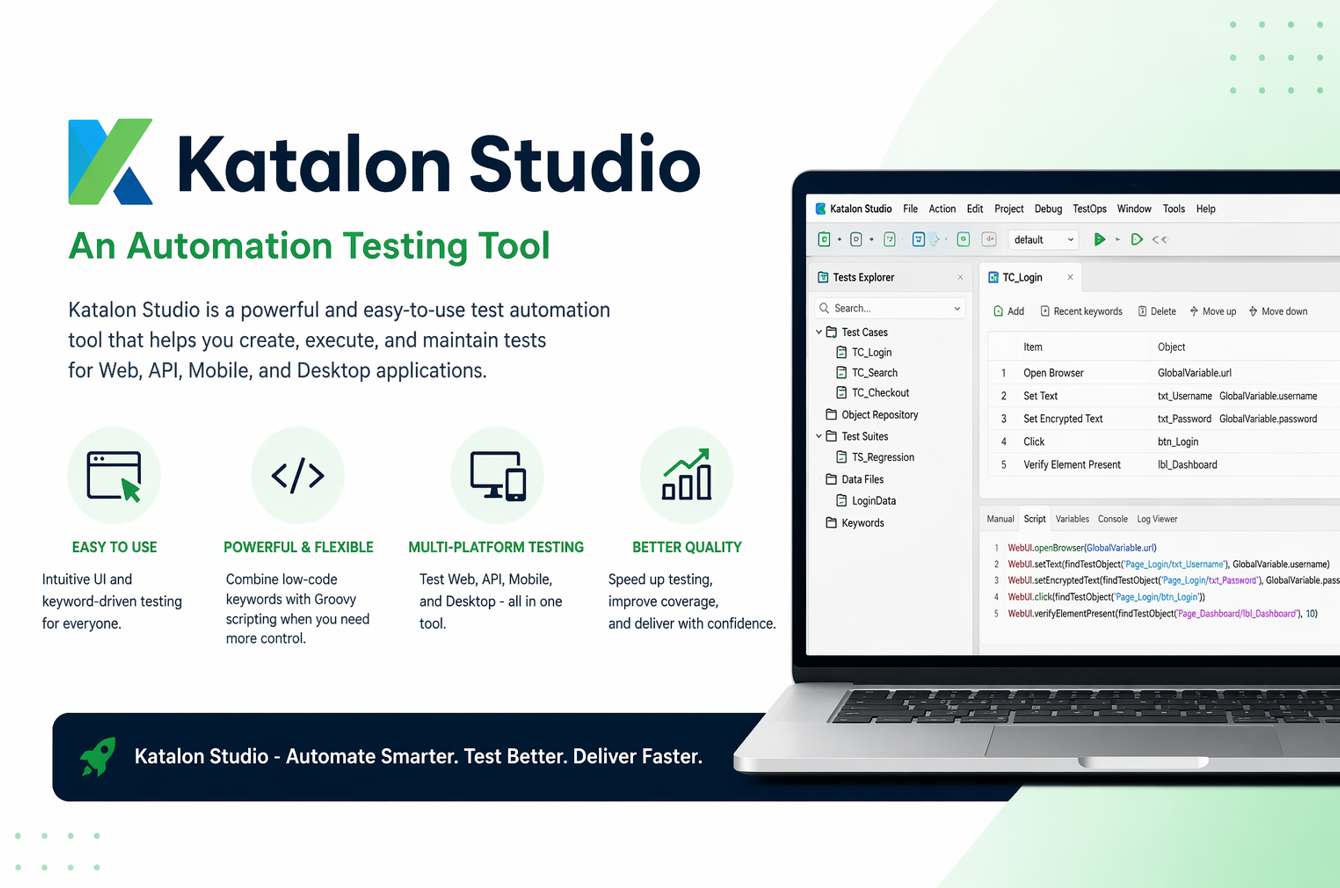
Katalon Studio has become popular because it makes automation testing easier for both beginners and professionals. It offers a low‑code interface while still supporting full scripting for advanced control. This interview guide explains the most important Katalon concepts in a simple, practical way so you can answer confidently and apply the same knowledge in real test projects.
1) What is Katalon Studio, and why is it used in automation testing?
Katalon Studio is an automation testing tool for web, API, mobile, and desktop applications. It provides a user‑friendly interface plus a Groovy scripting layer for advanced users. Teams use it to build tests faster without writing everything from scratch. It also includes reporting, test data, and CI/CD integration features. Since Katalon Studio is built on top of Selenium framework, even it provides capabilities to create and execute tests across diverse applications such as Web UI, Mobile and desktop, API etc.
How Katalon Studio Differs from Selenium
2) What types of testing can be done using Katalon Studio?
Katalon supports web UI testing, API testing, mobile app testing, and basic desktop testing. It can also handle data‑driven testing and regression suites. This makes it useful for end‑to‑end automation in a single tool. Many teams use it to reduce tool sprawl.
3) What is the difference between Record and Script modes in Katalon?
Record mode helps beginners capture UI actions without coding. Script mode gives full control with Groovy for advanced logic. You can switch between them depending on complexity. This flexibility is one reason Katalon is beginner‑friendly.
4) What is a Test Case in Katalon?
A Test Case is a sequence of actions and validations to verify a feature. It can be created with built‑in keywords or custom scripts. Test Cases are reusable across suites and pipelines. They are the core building blocks of Katalon automation.
5) What is a Test Suite in Katalon?
A Test Suite is a collection of Test Cases run together. It allows you to group tests by feature, release, or regression category. Suites can be executed manually or in CI/CD pipelines. This makes large automation runs easier to manage.
6) How does Katalon handle Object Repository?
The Object Repository stores UI elements with locators like XPath or CSS. It separates locators from test logic for easier maintenance. When UI changes, you update the object once instead of editing multiple test cases. This reduces test flakiness.
Katalon Studio Structure and Architecture
A simple, visual explanation of how Katalon Studio projects are organized and how the automation engine works.
1) Project Structure (Main Components)
- Test Cases – Individual test scripts and actions
- Test Suites – Groups of test cases run together
- Test Suite Collections – Multiple suites for parallel or batch runs
- Object Repository – Central storage of UI locators
- Test Data – CSV/Excel or internal datasets
- Keywords – Reusable custom functions
- Profiles – Environment settings (QA, Staging, Prod‑like)
- Reports – Execution results and logs
2) Architecture Flow (How Tests Run)
Test Case → calls built‑in keywords → interacts with Object Repository
Test Data feeds variables → validation done by Assertions
Execution Engine (Selenium/Appium) runs test → results sent to Reports
3) Execution Engines Behind Katalon
- Web UI: Selenium‑based engine
- Mobile: Appium‑based engine
- API Testing: Built‑in REST/SOAP client
- Desktop: Windows application driver support
4) Where CI/CD Fits
Tests are triggered through Katalon CLI or TestOps integrations, then reports are published back to dashboards for tracking. This allows automation to run on every build, not just manually.
7) What are built‑in keywords in Katalon?
Built‑in keywords are pre‑defined actions like click, setText, openBrowser, and verifyElementVisible. They simplify scripting by providing ready‑made commands. You can use them in manual or script mode. This speeds up test creation for common tasks.
8) How do you perform data‑driven testing in Katalon?
You can link a Test Case to a Data File and bind columns to variables. Katalon will run the test multiple times with different data. This is ideal for login tests, forms, and API payload variations. It improves coverage with minimal extra coding.
9) What is the role of Variables in Katalon?
Variables store dynamic values like usernames, URLs, or runtime data. They can be defined at test case, suite, or global level. This makes scripts more flexible and reusable. It also avoids hardcoding values in test steps.
10) How do you handle assertions in Katalon?
Katalon provides built‑in verification keywords such as verifyElementPresent, verifyTextPresent, and verifyMatch. Assertions ensure the application behaves as expected. They are critical for validating test results under automation. Without assertions, a test only performs actions without checking outcomes.
11) What is the difference between Verify and Assert in Katalon?
Verify continues test execution even if the check fails. Assert stops the test immediately when the condition fails. Verify is useful for collecting multiple failures in one run, while Assert is useful for critical conditions. Choosing the right one depends on test purpose.
12) How do you integrate Katalon with Git?
Katalon supports built‑in Git integration for version control. This allows teams to collaborate and track test changes. You can pull, commit, and push directly from the tool. Git integration helps manage large test projects like normal code.
13) How do you run Katalon tests in CI/CD?
Katalon provides a command‑line interface and plugins for Jenkins, GitHub Actions, and others. You can schedule automated runs on each build or release. Reports can be exported for pipeline results. This makes Katalon suitable for continuous testing.
14) What is Katalon TestOps?
Katalon TestOps is a cloud platform for test management and analytics. It provides dashboards, execution history, and defect trends. Teams use it to track automation quality over time. It also supports collaboration and centralized reporting.
15) How do you create custom keywords in Katalon?
Custom keywords let you build reusable actions in Groovy. You create a custom class and call it like a built‑in keyword. This is useful for complex workflows like login, file upload, or API setup. It makes test cases shorter and cleaner.
16) What is the purpose of Global Variables?
Global variables store values shared across the entire project. They are useful for base URLs, default credentials, and environment‑specific values. You can set them in profiles for QA, staging, or production‑like testing. This avoids hardcoding and improves portability.
17) How do you run tests in different browsers?
Katalon supports Chrome, Firefox, Edge, and other browsers. You can set the browser type in Run Configuration or in the script. This allows cross‑browser validation without rewriting tests. It helps ensure consistent user experience across browsers.
18) How does Katalon support API testing?
Katalon has built‑in REST and SOAP request support. You can design API requests, send them, and validate responses. It also supports chaining requests by storing response values. This makes API testing part of the same automation framework.
19) How do you handle dynamic elements in Katalon?
You can use parameterized XPath or CSS locators. Dynamic values can be passed through variables into Test Objects. This allows tests to interact with changing IDs or dynamic text. It reduces locator breakage in modern UI apps.
20) What reports does Katalon provide?
Katalon provides built‑in HTML, CSV, and JUnit reports. It also integrates with TestOps for dashboards. Reports include pass/fail counts, screenshots, and execution logs. Good reporting helps teams debug faster and share results.
21) How do you debug failed tests in Katalon?
Katalon captures logs, screenshots, and execution steps by default. You can re‑run the failed step in Debug mode. Inspecting object locators and wait timing often reveals the issue. Good debugging practice saves time in large suites.
22) What is a Retry Failed Test in Katalon?
Katalon allows you to retry failed test cases automatically. This is useful for reducing noise caused by flaky timing. But retries should be limited and not hide real defects. Use retries only for known unstable steps.
23) How do you manage test data in Katalon?
Katalon supports CSV, Excel, and internal data files. You can define datasets and bind them to test case variables. This enables realistic user flows and multiple data variations. It also keeps tests clean and maintainable.
24) What are common mistakes beginners make in Katalon?
Common mistakes include hardcoding values, using unstable locators, and skipping assertions. Beginners also overuse record mode without cleaning scripts. This leads to brittle tests. Good practice is to combine record mode with manual refinement.
25) What interview‑ready example should you explain confidently?
A strong example is a login + search + checkout flow with data‑driven testing. Explain how you used Test Objects, variables, and assertions. Mention how you reported results and handled failures. Interviewers value clear end‑to‑end automation logic.
Katalon Studio Quick Code Snippets
Short, beginner‑friendly examples to understand how Katalon scripting works.
1) Open Browser and Navigate
import com.kms.katalon.core.webui.keyword.WebUiBuiltInKeywords as WebUI

WebUI.openBrowser('')
WebUI.navigateToUrl('https://example.com')
WebUI.closeBrowser()
2) Login Flow
WebUI.setText(findTestObject('Login/txtEmail'), 'testuser@example.com')
WebUI.setEncryptedText(findTestObject('Login/txtPassword'), 'encryptedPass')
WebUI.click(findTestObject('Login/btnLogin'))
3) Verify Element
WebUI.verifyElementVisible(findTestObject('Home/labelWelcome'))
WebUI.verifyTextPresent('Welcome', false)
4) API Request + Response Check
import com.kms.katalon.core.webservice.keyword.WSBuiltInKeywords as WS

def response = WS.sendRequest(findTestObject('API/GetUsers'))
WS.verifyResponseStatusCode(response, 200)
5) Data‑Driven Variable Example
String username = GlobalVariable.userName
WebUI.setText(findTestObject('Login/txtEmail'), username)Conclusion
With these Katalon Studio interview questions, you are ready to explain both the tool and the reasoning behind your automation choices. Focus on fundamentals like object repository, data‑driven testing, reusable keywords, and reporting. When you connect those features to real project outcomes, you stand out as a tester who understands both tools and quality impact.
Discover more from Newskart
Subscribe to get the latest posts sent to your email.

Comments are closed.