


Performance testing is not just about pushing traffic; it is about understanding how a system behaves when real users arrive at scale. JMeter is one of the most widely used tools for this because it is powerful, open-source, and flexible enough for both APIs and full web flows. This interview guide is written in simple language so beginners and working professionals can understand the “why” behind each concept, not just memorize definitions.
1) What is JMeter and why is it used in performance testing?
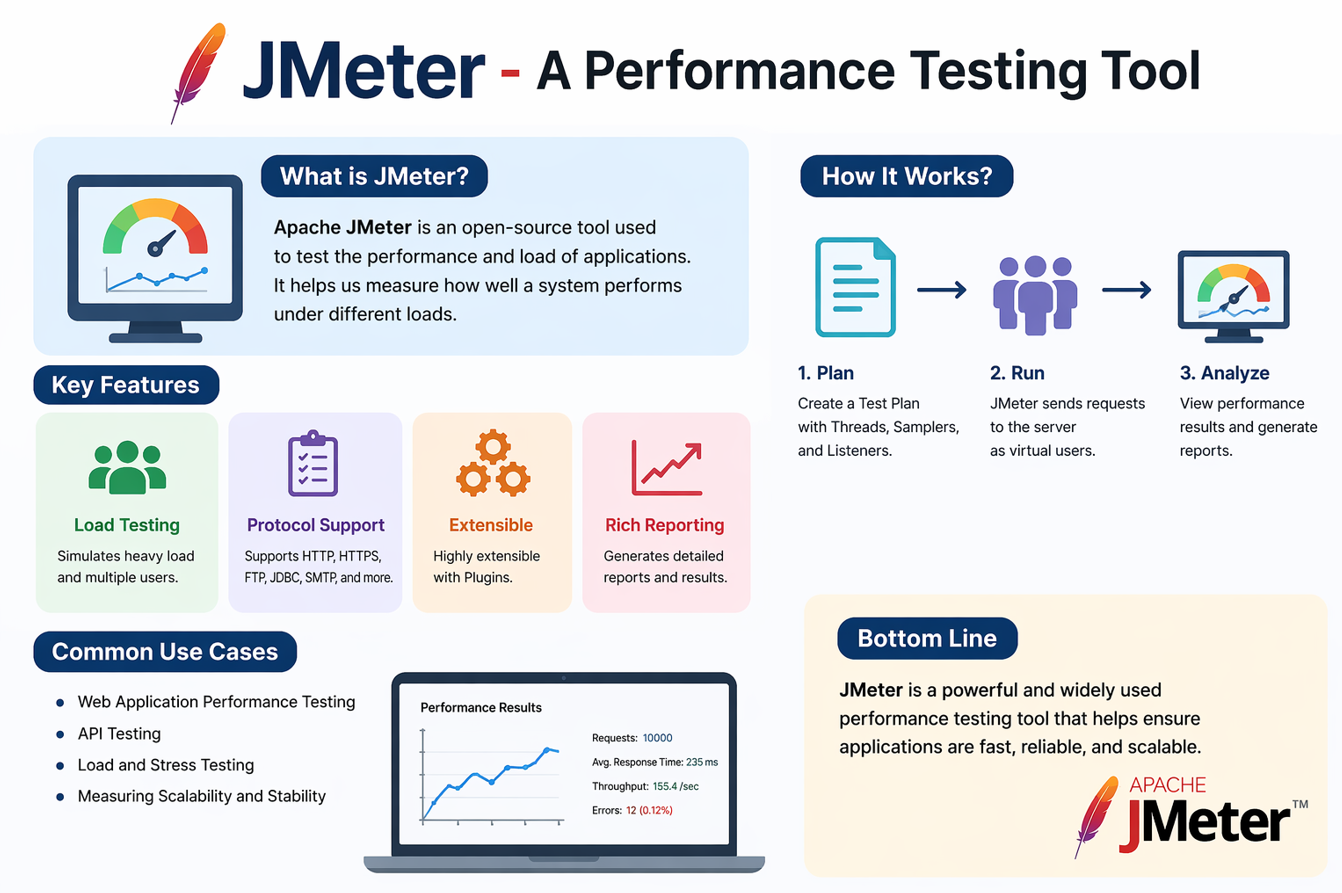
Apache JMeter is an open-source tool used to simulate user traffic and measure system performance. It can test web apps, APIs, databases, and other services by sending concurrent requests. Teams use it to find bottlenecks, validate SLAs, and check system stability under load. Its extensibility and plugin ecosystem make it popular in both QA and DevOps teams.
2) What types of testing can be done using JMeter?
JMeter supports load, stress, spike, endurance (soak), and scalability testing. Load testing checks expected traffic levels, stress pushes beyond limits, and spike adds sudden bursts. Soak tests long-duration stability, while scalability checks behavior as users grow. These tests help you verify both short-term speed and long-term reliability.
3) What is a Test Plan in JMeter?
A Test Plan is the top-level container that holds all test elements. It defines the overall scenario, thread groups, logic controllers, samplers, and listeners. Everything you run in JMeter is structured inside a Test Plan. It’s similar to a project file that represents your full performance scenario.
4) What is a Thread Group and why is it important?
A Thread Group defines the number of virtual users, ramp-up time, and loop count. It controls how many concurrent users hit your system and how quickly they start. Choosing the right thread settings is key to realistic traffic simulation. Incorrect values can lead to misleading performance results.
5) What is a Sampler in JMeter?
Samplers are the elements that send requests to the target system. Examples include HTTP Request, JDBC Request, FTP Request, and JMS Request. Each sampler represents one user action such as login, search, or submit. Samplers are the “actions” your virtual users perform.
6) What are Listeners, and how should they be used?
Listeners collect and display test results such as response time, throughput, and errors. Common listeners include Summary Report, View Results Tree, and Aggregate Report. For large tests, use minimal listeners to avoid memory overload. Heavy listeners are best used only in debugging, not full-scale load runs.
7) What is the difference between load testing and stress testing?
Load testing validates system behavior under expected usage levels. Stress testing pushes beyond normal capacity to find breaking points. Load gives you confidence for production traffic, stress reveals how failure happens. Both are critical for reliable system planning.
8) What is throughput in JMeter?
Throughput is the number of requests processed per unit time. It helps you understand how many transactions your system can handle. If throughput stays flat while users increase, you’re hitting capacity limits. It’s one of the most important success metrics in performance testing.
9) How do you correlate dynamic values in JMeter?
Correlation captures dynamic values like tokens or session IDs from responses. You use Extractors (JSON, RegEx, XPath) to store values in variables. Then you pass those variables in subsequent requests. Without correlation, login flows or secure APIs often fail under load.
10) How do you parameterize test data in JMeter?
Use CSV Data Set Config to feed user credentials, product IDs, or payloads. Each thread picks a new row to avoid duplicate data collisions. This makes your test realistic and avoids server-side cache bias. Parameterization is essential for authentic user simulation.
11) What is a Timer in JMeter, and why is it used?
Timers add wait time between requests to simulate real user “think time.” Without timers, requests fire unrealistically fast and overload systems artificially. Common timers include Constant Timer and Gaussian Random Timer. Proper timers make your test closer to real-world usage.
12) What is a Controller in JMeter?
Controllers define logic flow in a test plan. Examples include If Controller, Loop Controller, and Transaction Controller. They help model user journeys with conditions and loops. This makes complex scenarios easier to manage.
13) How do you execute JMeter tests in non-GUI mode?
Non-GUI mode is faster and recommended for large tests. You can run it from command line for CI/CD execution. Example:
jmeter -n -t testplan.jmx -l results.jtl -e -o reportThis produces results and an HTML report without opening the UI.
14) What is a JTL file in JMeter?
JTL is the result file where JMeter logs performance test outcomes. It stores response times, status codes, and success/failure flags. These files can be used for reporting or analysis later. Always archive JTLs for trending and audit needs.
15) How do you analyze performance results effectively?
Focus on response time percentiles (95th/99th), error rate, and throughput. Average alone is misleading; percentile tells real user experience. Compare results across different load levels to spot nonlinear degradation. Good analysis connects metrics back to business SLAs.
16) How do you handle authentication in JMeter?
For basic auth, use HTTP Authorization Manager. For token-based auth, capture token with extractor and reuse in headers. For OAuth flows, automate token calls as part of the test setup. Proper auth handling is key for realistic secure testing.
17) What is the purpose of a Transaction Controller?
Transaction Controller groups multiple requests and measures total time. It helps measure complete business flows like “login + search + checkout.” This is more meaningful than single-request timing. It gives business-level performance visibility.
18) How do you perform distributed load testing in JMeter?
Use the master–slave setup with multiple load generators. The master controls test execution while slaves generate traffic. This allows high user volume without overloading one machine. Distributed setup is essential for large enterprise load tests.
19) What is the difference between Response Time and Latency?
Response time includes total time from request to full response. Latency is the time to first byte or first response from server. High latency often indicates network/server delays. Both metrics help diagnose where performance bottlenecks exist.
20) How do you avoid unrealistic test results?
Use realistic think times, warm-up periods, and clean test data. Avoid running heavy listeners in large tests. Test on production-like environments where possible. Unrealistic setup creates misleading performance conclusions.
21) What is a JMeter Pre-Processor and when is it used?
Pre-Processors run before a sampler to prepare data. You can generate dynamic payloads, timestamps, or tokens before request execution. Common pre-processors include JSR223 PreProcessor and User Parameters. They allow smarter request setup without hardcoding values.
22) How do you validate response correctness in JMeter?
Use Assertions like Response Assertion, JSON Assertion, or XPath Assertion. It ensures you’re testing correct functionality, not just speed. Performance tests without functional validation can hide errors. Always validate key fields for accuracy.
23) What is a Ramp-Up period and how do you calculate it?
Ramp-up defines how quickly users start during a test. If you set 100 users with 50 seconds ramp-up, 2 users start per second. It prevents sudden traffic spikes unless you are testing spike behavior. Choosing correct ramp-up makes tests realistic.
24) What is the role of plugins in JMeter?
Plugins extend JMeter with new samplers, listeners, graphs, and controllers. They improve reporting and add modern metrics visualization. Popular ones include the JMeter Plugins Manager and additional graph listeners. Plugins help you go beyond the default UI capabilities.
25) What interview-ready example should you explain confidently?
A solid example is: login → fetch token → search product → add to cart → checkout. This tests realistic flow, uses correlation, and measures transaction-level performance. Explain how you set thread group, timers, extractors, and assertions. Interviewers value real-world flow design more than a single request test.
JMeter Cheatsheet (Functions + Key Elements)
Quick reference for JMeter building blocks and commonly used functions.
Core Elements (What They Do)
| Element | Purpose | Example Use |
|---|---|---|
| Test Plan | Top container for scenario | Full checkout flow |
| Thread Group | Users, ramp-up, loops | 200 users, 60s ramp |
| Sampler | Sends requests | HTTP Request /login |
| Timer | Think time | Gaussian Random Timer |
| Assertion | Validate response | Status = 200 |
| Listener | Reports & metrics | Summary Report |
Common JMeter Functions (Most Used)
| Function | Purpose | Example |
|---|---|---|
| ${__Random(1,100)} | Random number | User ID generation |
| ${__UUID()} | Unique string | Order ID / Request ID |
| ${__time(yyyy-MM-dd)} | Current date/time | Timestamp in payload |
| ${__threadNum} | Thread (user) number | Unique user identity |
| ${__counter(TRUE,)} | Incremental counter | Sequential IDs |
Useful Tips
- Use CSV Data Set for realistic user data.
- Avoid heavy listeners during large load runs.
- Always analyze percentiles, not just average response time.
- Run large tests in Non‑GUI mode.
Conclusion
If you work through these JMeter interview questions with real hands‑on practice, you will be ready to explain both the tool and the performance mindset behind it. Focus on core areas like thread groups, correlation, realistic think time, non‑GUI execution, and result analysis. When you can connect metrics to real business impact, you stand out as a performance tester who understands outcomes – not just scripts.
Discover more from Newskart
Subscribe to get the latest posts sent to your email.

[…] JMeter […]