


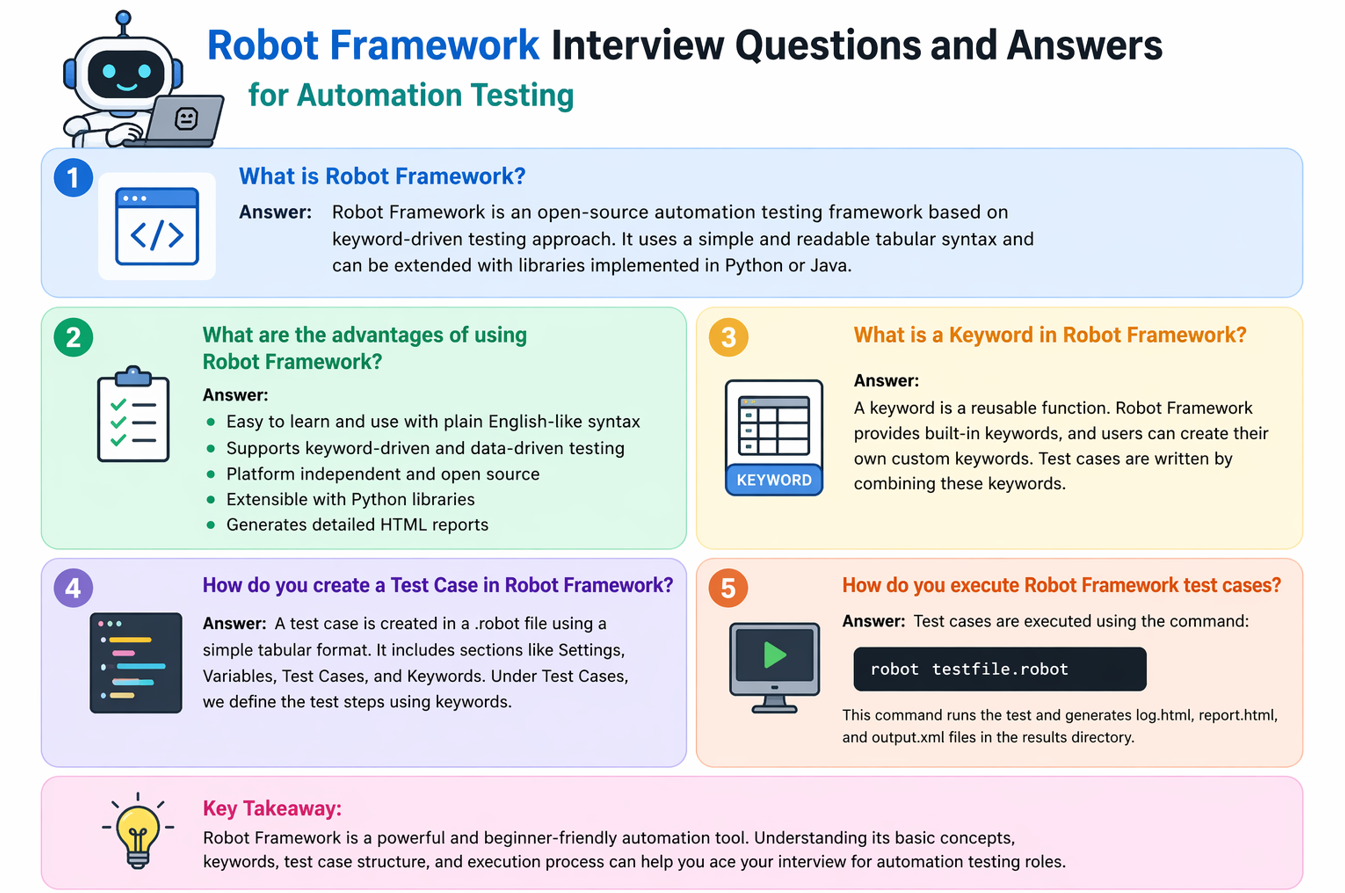
Robot Framework is a popular keyword‑driven automation tool because it makes test cases easy to read and easy to maintain. It is used for web, API, and even desktop automation, and works well for teams that want a clean, business‑friendly testing style. This interview guide explains Robot Framework concepts in simple language so you can answer confidently and apply the ideas in real automation projects.
1) What is Robot Framework and why is it used in automation testing?
Robot Framework is an open‑source automation framework that uses keyword‑driven syntax. It allows tests to be written in a readable, table‑style format that non‑developers can understand. Teams use it to simplify automation across web, API, and UI testing. Its large library ecosystem makes it flexible for many use cases.
2) What does keyword‑driven automation mean in Robot Framework?
Keyword‑driven automation means tests are written using keywords instead of code logic. Keywords can be built‑in, library‑based, or custom. This creates tests that read like steps in plain English. It makes collaboration easier between testers, developers, and business users.
Gherkin vs Robot Framework (Quick Comparison)
Both are designed for readable automation, but they serve different styles and ecosystems.
What is Gherkin?
Gherkin is the language used in BDD tools like Cucumber. It uses Given‑When‑Then steps and focuses on behavior definitions. The steps map to code in step definitions written in Java, JS, Python, etc.
What is Robot Framework?
Robot Framework is a keyword‑driven automation framework. It uses tabular syntax and built‑in keywords to execute tests directly. It is very friendly for non‑coders and supports web, API, and UI testing.
Key Differences
- Style: Gherkin = BDD language, Robot = keyword automation
- Execution: Gherkin needs step definitions; Robot runs keywords directly
- Learning curve: Gherkin easy for business; Robot easy for testers
- Tools: Gherkin is used with Cucumber/SpecFlow; Robot is full framework itself
Simple Example
# Gherkin
Given user is on login page
When user enters valid credentials
Then user should see dashboard

# Robot Framework
Open Browser    https://example.com/login    chrome
Input Text      id=user    test
Input Text      id=pass    123
Click Button    id=login
Page Should Contain    Dashboard
3) What are Test Cases in Robot Framework?
Test Cases are structured sets of steps that validate a feature or workflow. Each step uses keywords to perform actions and verify results. Test cases are stored in files with a clear tabular format. They can be run individually or grouped in suites.
4) What is a Test Suite in Robot Framework?
A Test Suite is a collection of test cases that run together. It helps organize tests by feature or release cycle. Suites can also contain setup and teardown steps. This makes large automation projects easier to manage.
Structure of Robot Framework (Simple View)
Robot Framework projects are organized into readable blocks that keep tests clean and reusable.
1) Test Case File Structure
*** Settings ***
Library    SeleniumLibrary

*** Variables ***
${URL}    https://example.com

*** Test Cases ***
Login Test
    Open Browser    ${URL}    chrome
    Input Text      id=user    demo
    Input Text      id=pass    1234
    Click Button    id=login
    Page Should Contain    Dashboard

*** Keywords ***
Login With Valid User
    Input Text    id=user    demo
    Input Text    id=pass    1234
    Click Button    id=login
2) Core Sections Explained
- Settings: Libraries, resources, suite setup/teardown
- Variables: Test data and reusable values
- Test Cases: Actual test steps
- Keywords: Custom reusable actions
3) Project-Level Structure
- /tests – test case files
- /resources – reusable keywords and variables
- /data – external CSV/Excel files
- /results – logs and reports
5) Which languages can be used to write Robot Framework tests?
Robot Framework supports tests written in `.robot`, `.resource`, and `.txt` formats. The main syntax is tabular and human‑readable. You can also extend it using Python or Java libraries. This balance makes it flexible for both beginners and advanced users.
Languages Used in Robot Framework
Robot Framework itself is language‑neutral, but it works best with a few key languages and formats.
1) Robot Syntax (.robot / .resource)
Tests are written in plain text using Robot’s keyword‑driven format, which is easy to read and maintain.
2) Python (Primary Library Language)
Most Robot Framework libraries are written in Python, making Python the most common language for custom keywords.
3) Java (Via Jython – Legacy)
Java libraries can be used through Jython, but this is considered legacy and used less in modern setups.
4) .NET (Via IronPython – Legacy)
.NET libraries can be accessed using IronPython, though most teams now prefer Python‑native libraries.
5) Any Language (Remote Library Interface)
Robot supports remote libraries, so you can build keywords in any language that can serve a remote endpoint.
6) What is the difference between Robot Framework and Selenium?
Robot Framework is a full test automation framework, while Selenium is a web automation library. Robot can use Selenium through the SeleniumLibrary. Robot adds keyword‑driven structure, test suites, and reporting. Selenium alone requires more manual framework setup.
Robot Framework vs Selenium (Quick Comparison)
Both are powerful, but they serve different levels of automation design.
| Feature | Robot Framework | Selenium |
|---|---|---|
| Type | Automation framework | Automation library |
| Style | Keyword‑driven | Code‑driven |
| Languages | Robot syntax + Python extensions | Java, Python, JS, C# etc. |
| Ease for Beginners | High | Medium |
| Reporting | Built‑in report/log HTML | Needs external reporting setup |
| Best For | Teams needing readable tests | Full coding control and flexibility |
Quick Summary: Robot Framework is a full automation framework with readable keyword syntax, while Selenium is a core web automation library that requires more coding and setup.
7) How do you run a simple Robot Framework test?
You write a test file and run it using the `robot` command. For example, `robot login.robot` executes the test. Results and logs are generated automatically. This makes it easy to run tests locally or in CI.
How Do You Run a Simple Robot Framework Test?
A quick step‑by‑step example that beginners can follow.
1) Create a Test File (example.robot)
*** Settings ***
Library    SeleniumLibrary

*** Test Cases ***
Open Example Site
    Open Browser    https://example.com    chrome
    Title Should Be    Example Domain
    Close Browser
2) Run the Test in Terminal
robot example.robot3) View Results
Robot generates report.html and log.html in the same folder. Open them to see pass/fail status and detailed steps.
8) What is SeleniumLibrary in Robot Framework?
SeleniumLibrary is a built‑in library that connects Robot Framework to Selenium WebDriver. It provides keywords like `Open Browser`, `Click Element`, and `Input Text`. This allows browser automation without writing Selenium code directly. It is the most common library used in Robot UI testing.
9) How do you create custom keywords?
Custom keywords are reusable steps that combine multiple actions. They can be written in the same test file, resource files, or Python classes. This keeps tests cleaner and avoids duplication. Custom keywords are essential for maintainable test suites.
10) What is a Resource file in Robot Framework?
Resource files store reusable keywords, variables, and settings. They are imported into test suites to avoid repeating logic. This promotes modular test design. It is similar to having a shared library of test actions.
11) How do you handle variables in Robot Framework?
Robot supports scalar, list, and dictionary variables. Variables can be defined in test files, resource files, or external variable files. This allows data‑driven testing and reduces hardcoding. It makes tests easier to update.
12) What is the purpose of Setup and Teardown?
Setup runs before a test or suite, and teardown runs after. They are used for initialization and cleanup. For example, opening and closing a browser. This ensures consistent test environments.
13) How do you perform data‑driven testing in Robot Framework?
You can use variables, external data files, or libraries like DataDriver. Test cases can be repeated with different inputs. This helps cover multiple scenarios without duplicating test logic. Data‑driven testing improves coverage efficiently.
14) How does Robot Framework reporting work?
Robot automatically generates `report.html` and `log.html` after execution. Reports show pass/fail results and summaries. Logs include step‑by‑step execution details. This built‑in reporting reduces setup work.
15) How do you handle waits in Robot Framework?
Robot provides keywords like `Wait Until Element Is Visible`. These waits improve stability by synchronizing with the UI. Avoid hard sleeps unless absolutely necessary. Proper waits reduce flaky tests.
16) What are Tags in Robot Framework?
Tags label tests for grouping and selective execution. You can run only smoke tests or skip slow cases. Tags are very helpful in CI pipelines. They make large suites more flexible.
17) How do you integrate Robot Framework with CI/CD?
You can run tests using `robot` command in Jenkins, GitHub Actions, or other pipelines. Reports can be archived as artifacts. Tags help control which tests run in each stage. This makes automation part of continuous delivery.
18) How do you test APIs in Robot Framework?
You can use libraries like RequestsLibrary for API calls. It supports GET, POST, and validation of response data. This allows API testing inside the same framework. It is useful for end‑to‑end automation.
19) What are common mistakes beginners make?
Common mistakes include hardcoding values, ignoring waits, and not modularizing keywords. Another mistake is writing long test cases without reusable components. This makes tests harder to maintain. Good structure prevents these issues.
20) How do you handle dynamic locators in Robot Framework?
You can build locators dynamically using variables. XPath or CSS can be parameterized in keywords. This allows automation against dynamic IDs or changing UI content. It improves test reliability in modern apps.
Dynamic Locators in Robot Framework
Dynamic locators help you handle changing IDs, text, and UI elements without rewriting tests.
1) Use Variables Inside XPath
*** Variables ***
${USER}    Alice

*** Test Cases ***
Dynamic XPath
    Click Element    xpath=//div[text()='${USER}']
2) Build Locator Using Set Variable
*** Test Cases ***
Dynamic Locator
    ${locator}=    Set Variable    xpath=//button[@data-id='${ID}']
    Click Element    ${locator}
3) Dynamic CSS Selector Example
*** Variables ***
${INDEX}    3

*** Test Cases ***
Dynamic CSS
    Click Element    css=ul.menu li:nth-child(${INDEX})
4) Use Keyword Arguments for Reuse
*** Keywords ***
Click User
    [Arguments]    ${name}
    Click Element    xpath=//span[text()='${name}']

*** Test Cases ***
Use Keyword
    Click User    John
21) What is the role of Python in Robot Framework?
Python is used to extend Robot Framework with custom libraries. It allows you to create advanced keywords and integrate external systems. This makes Robot powerful beyond basic UI testing. Many enterprise teams use Python extensions.
22) How do you debug failed tests in Robot Framework?
You can use the log.html file to see exactly where failures happened. Robot logs each keyword and error details. You can also use screenshots on failure in SeleniumLibrary. Debugging becomes easier with built‑in reporting.
23) What is the difference between Library and Resource in Robot Framework?
Libraries provide external functionality like Selenium or Requests. Resource files store shared keywords and variables. Libraries add new capabilities, resources organize reusable test steps. Both are essential in large automation projects.
24) What interview‑ready example should you explain confidently?
A strong example is a login test with valid and invalid users. Explain how you used keywords, variables, and assertions. Mention the report output and how you used waits for stability. This shows both understanding and practical skills.
25) Why is Robot Framework popular for keyword‑driven automation?
It makes tests readable, reusable, and easy to maintain. Teams can scale automation without requiring every tester to be a coder. The tool integrates well with libraries and CI pipelines. That balance of simplicity and power is why it remains popular.
Robot Framework Quick Code Snippets
Short examples to understand keyword‑driven automation basics.
1) Open Browser and Navigate
*** Settings ***
Library    SeleniumLibrary

*** Test Cases ***
Open Website
    Open Browser    https://example.com    chrome
    Title Should Be    Example Domain
    Close Browser
2) Simple Login Flow
*** Test Cases ***
Login Test
    Input Text    id=email    testuser@example.com
    Input Text    id=password    Test@123
    Click Button    id=loginBtn
    Page Should Contain    Welcome
3) Variables Example
*** Variables ***
${URL}    https://example.com

*** Test Cases ***
Use Variable
    Open Browser    ${URL}    chrome
4) Custom Keyword Example
*** Keywords ***
Login With Valid User
    Input Text    id=email    testuser@example.com
    Input Text    id=password    Test@123
    Click Button    id=loginBtn
Conclusion
Robot Framework interview preparation is most effective when you practice with real scripts and simple workflows. Focus on keywords, variables, resource reuse, and reporting. When you can explain these clearly, you demonstrate both technical skill and practical automation thinking.
Discover more from Newskart
Subscribe to get the latest posts sent to your email.

Comments are closed.